Using AI to Generate Qbics Input Files
This tutorial will give some suggestions to use artificial intelligence (AI) to generate Qbics input files.
Qbics is a new program that has been available since 2023, so it is not included in the training corpus of most modern AI models. Fortunately, Qbics has a good documentation, which can be used to train AI models.
In the root directory of Qbics documentation, there is a file called llms-full.txt:
http://www.qbics.info/doc/llms-full.txt
llms-full.txt is a comprehensive plain-text file provided by Qbics, specifically designed to assist AI models (such as large language models, LLMs) in understanding and answering questions about Qbics. For AI or LLM applications, you can uplaod llms-full.txt to the AI model or ask it to access llms-full.txt via internet as needed—for example, by segmenting, indexing, or encoding it semantically. You can then integrate it with your chosen large language model to enable knowledge-based Qbics question answering and support.
In summary, llms-full.txt empowers AI solutions to “know” and “understand” Qbics through access to complete documentation, unlocking intelligent services for Qbics users and developers.
Tip
Even the current state-of-the-art models may NOT always generate correct files. Treat the generated file as a starting point and always review it.
Example: Using Doubao (豆包)
If you simply ask Doubao to generate a Qbics input file, it will likely generate a file that is NOT valid. So, you should explicitly ask Doubao to use
llms-full.txtto generate a valid Qbics input file. Now, downloadllms-full.txtfrom http://www.qbics.info/doc/llms-full.txt and upload it to Doubao (for example, drag it to the explorer window of Doubao).Ask Doubao to use
llms-full.txtto generate a valid Qbics input file:
According to the upload document, write an input file to predict the stable structure of water, using cc-pVDZ basis set

Then, Doubao will generate a valid Qbics input file:
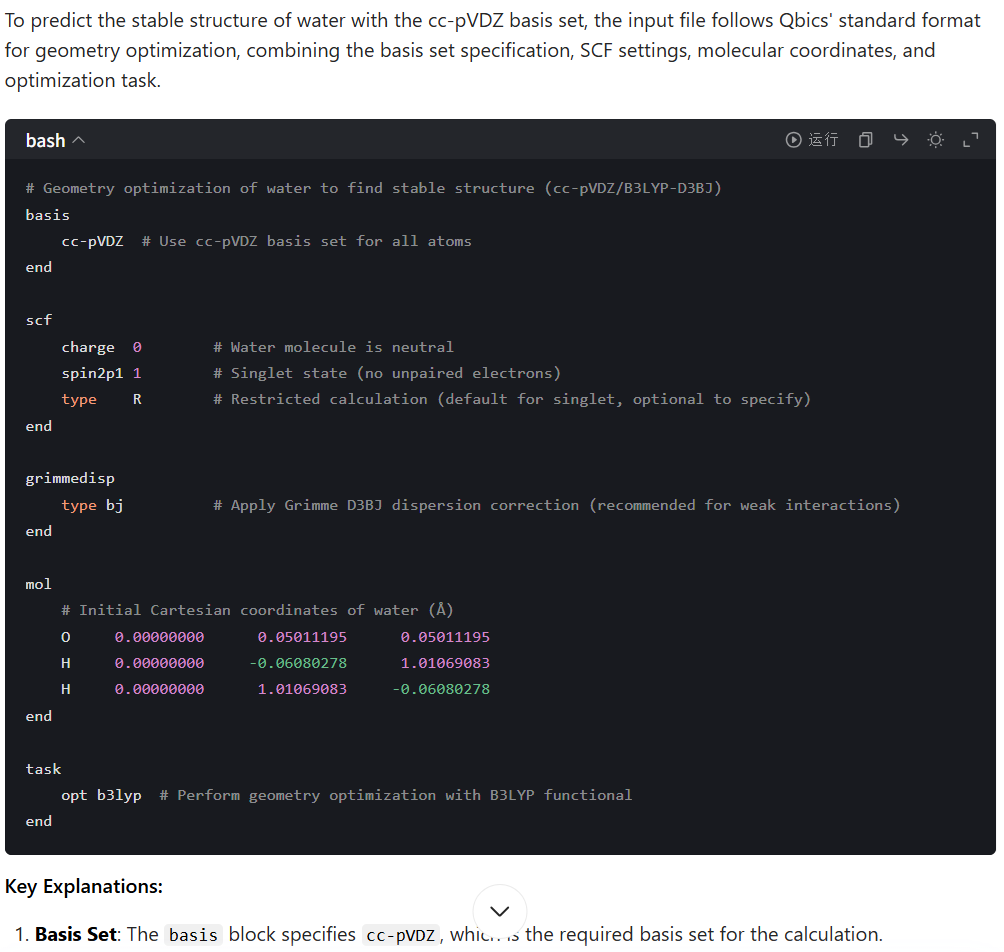
This is really very good result.
You can also do further modifications, using different languague:
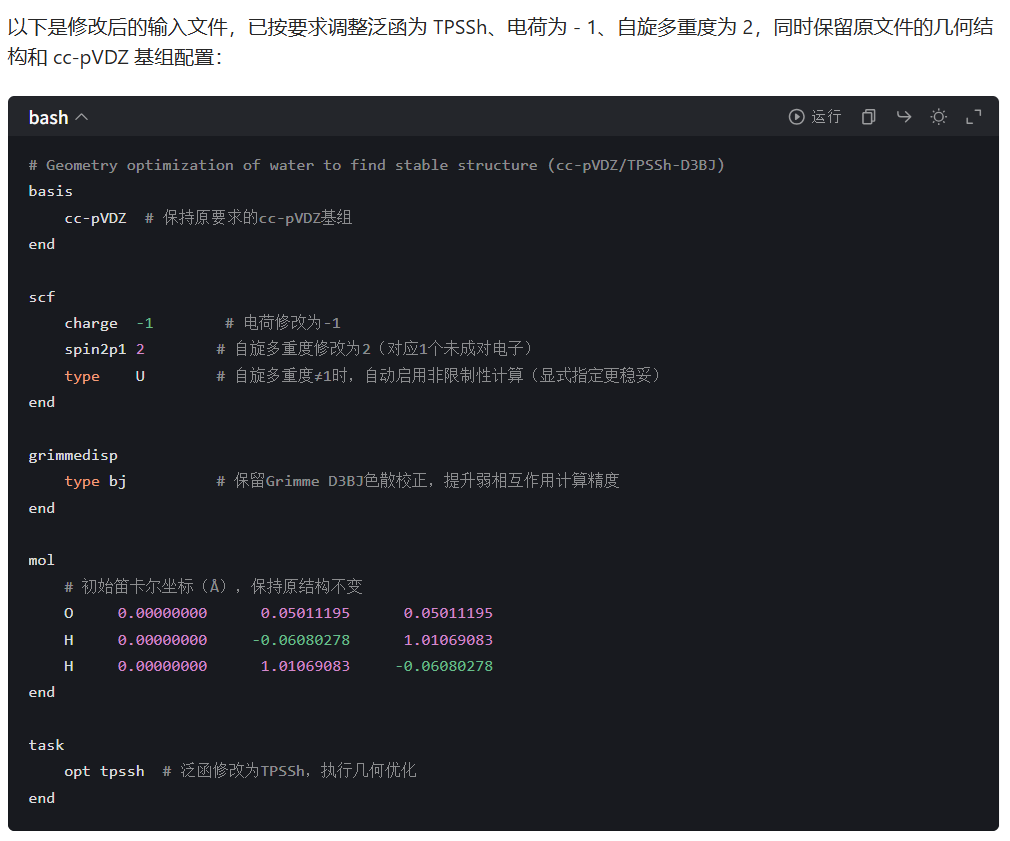
帮我把泛函改成tpssh,电荷改成-1,自选多重度改成2
(English: Help me to change the functional to tpssh, the charge to -1, and the spin multiplicity to 2)
Interestingly, I intentionally made a mistake in the prompt (“自选多重度” should be “自旋多重度”), but Doubao still corrected it!
Then, Doubao will correctly modify the file:
Example: Using Gemini 3
If you simply ask Gemini 3 to generate a Qbics input file, it will likely generate a file that is NOT valid. So, you should explicitly ask Gemini 3 to use
llms-full.txtto generate a valid Qbics input file. Now, downloadllms-full.txtfrom http://www.qbics.info/doc/llms-full.txt and upload it to Gemini 3 (for example, drag it to the explorer window of Gemini 3).Ask Gemini 3 some questions about Qbics:
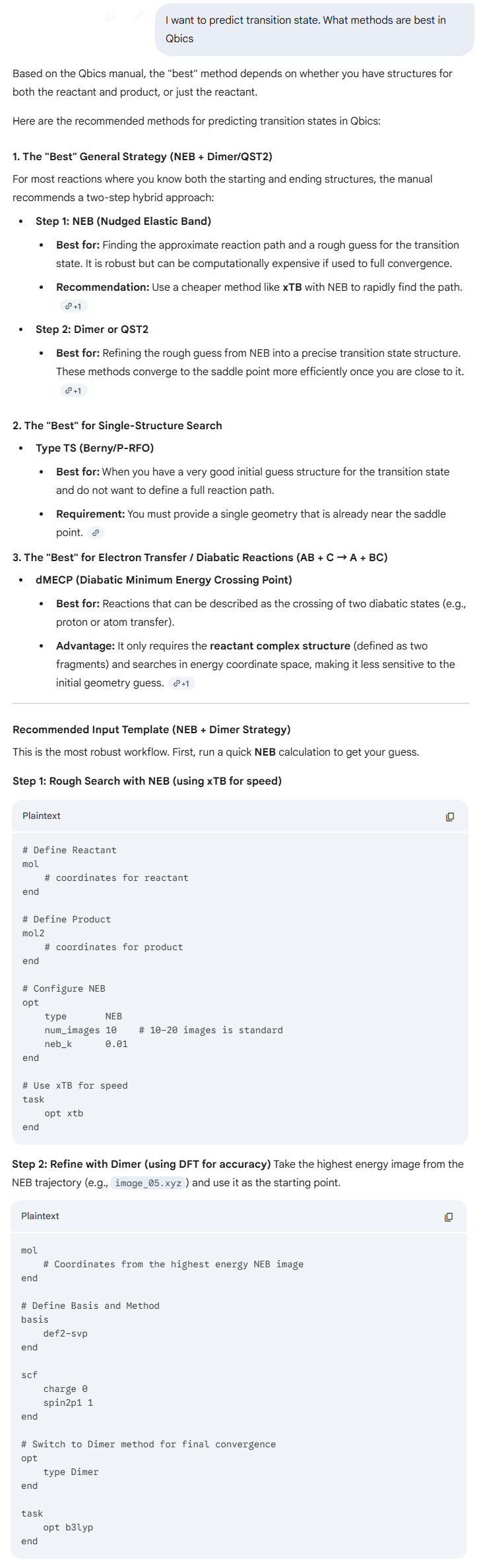
I want to predict transition state. What methods are best in Qbics
The answers seem to be very good, and examples: